
The fleet automobile insurance policy renewed as of May 1, 2025 for all vehicles of record, and drivers in good standing. New insurance cards were mailed and emailed by Catholic Mutual in early May. If you have not received your insurance card for the 2024-2025 policy year, please notify Jordan Harper JHarper@catholicmutual.org or Nichol Sorensen nsorensen@catholicmutual.org. The fleet policy is billed in July for the entire policy year.
Church Mutual/Catholic Mutual provides an electronic verification of insurance coverage to the state of Georgia, in addition to providing the insurance card.
FLEET AUTOMOBILE POLICY
The archdiocese provides auto coverage for parish or school-owned vehicles, and to priests of the archdiocese. Priests are encouraged to purchase automobile insurance through the archdiocesan fleet policy. To join the fleet policy, change your address or change coverage through Church Mutual/Catholic Mutual, complete the Fleet Auto Insurance Vehicle or Driver Change Form. If you plan to purchase a new vehicle, please ensure the new vehicle is added to the insurance coverage before driving it.
ANNUAL RATES FOR 2024-2025
Vehicle Type In State Out of State
Truck $2,090 $2,473
Passenger $1,780 $2,100
Bus/Van $2,305 $2,809
Trailer $683 $835
If a priest declines the fleet policy and instead procures insurance coverage independently, then the outside coverage must include $500,000 Bodily Injury Limit – each accident and $500,000 Property Damage Limit – each accident with the Archdiocese of Atlanta named as an additional insured party. A copy of the outside policy and certification should be submitted to Holly Orsagh (horsagh@archatl.com) on an annual basis or any time there is a change in coverage.
PRIEST AUTO INSURANCE BILLING
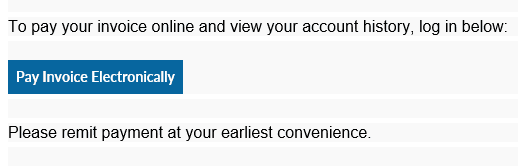
Invoices for priest auto insurance premiums are billed annually to the priest and should be paid by the priest. They should not be paid by the parish. Invoices will be generated by the Chancery through Bill.com and will be sent to each priest’s archatl email address on file by the end of July. The email from Bill.com will contain a link to make the auto insurance payment.
BILL.COM INSTRUCTIONS
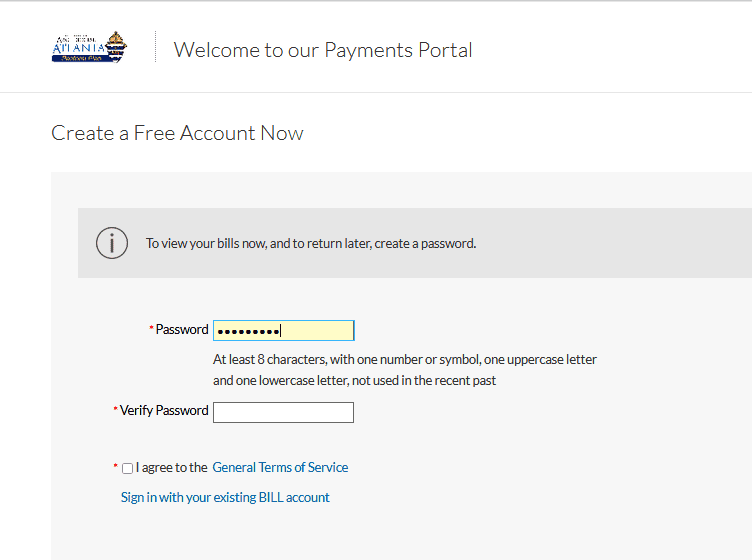
Bill.com allows you to create a free account to make and receive payments via ePayments (ACH). You control your account and enter your bank information.
If you have not previously paid an invoice or registered with Bill.com, you will need to do so. Instructions on setting up your free account are included below.
From the link provided in the invoice:
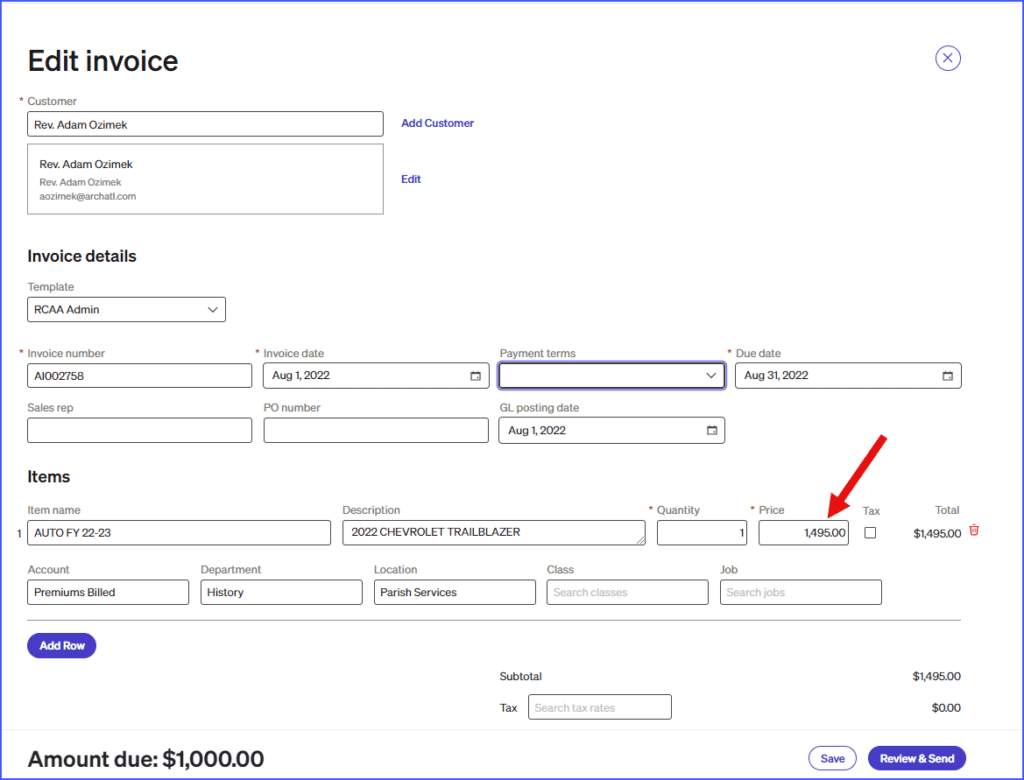
Invoices should be paid in full, however, you can make partial payments in Bill.com. To make a partial payment, access the payment screen and type the partial payment amount in the payment amount box (overwriting the prepopulated total amount due). After the transaction is processed, the bill will be updated to show the amount paid and the remaining balance.
1)Click the invoice number to open the invoice
2)Click Edit in the top right
3)Click in the Price field to enter a partial payment amount
If you have any questions about vehicle coverage, please contact Jordan Harper JHarper@catholicmutual.org, Nichol Sorensen nsorensen@catholicmutual.org or Holly Orsagh horsagh@archatl.com.
For assistance with Bill.com, please contact Sue Stanton sstanton@archatl.com.
Thank you.